SEO Ranking Tools That Diagnose Page Performance
Quick Answer: SEO ranking tools for diagnosing and improving page performance work best when you use at least 3 sources together: Google Search Console, a…

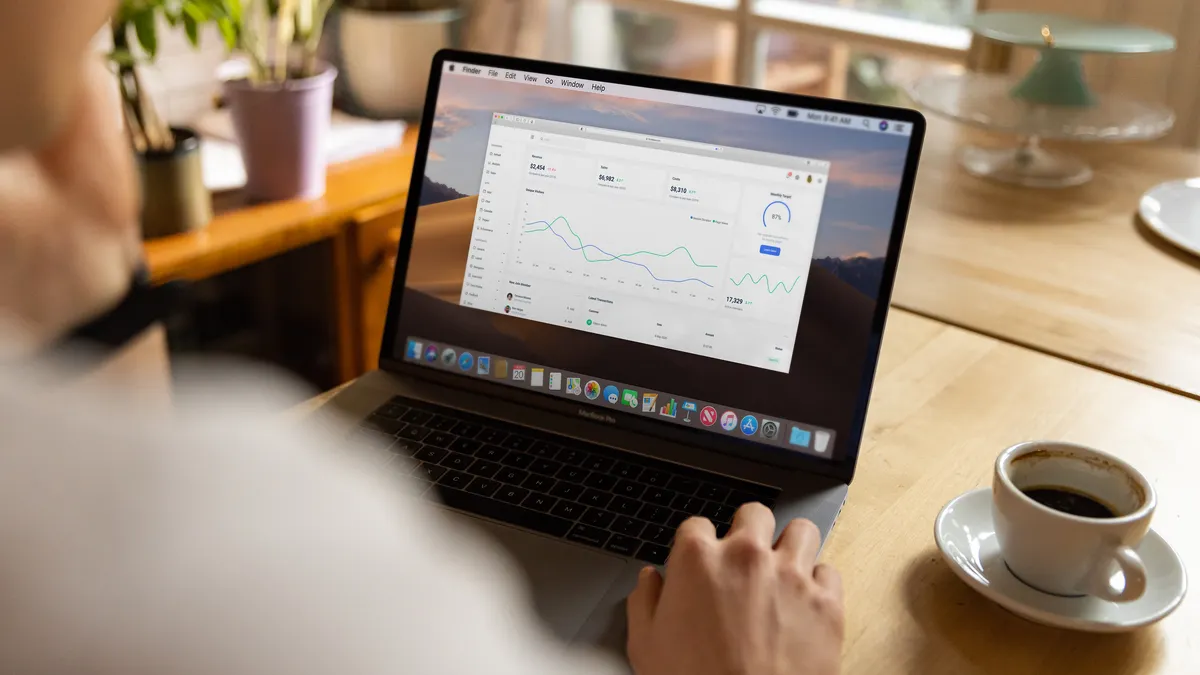
laptop displaying analytics dashboard with charts
Last updated: October 13, 2026
Quick Answer: SEO ranking tools for diagnosing and improving page performance work best when you use at least 3 sources together: Google Search Console, a rank tracker, and a crawler or page-speed tool. If a page is stuck on page two, the fastest fix is not “more content.” It is finding the exact bottleneck: crawl access, indexation, relevance, internal links, or page speed. SEO ranking tools for diagnosing and improving page performance help you spot that bottleneck, compare it against the pages outranking you, and decide what to fix first.
The reader I have in mind is not shopping for a shiny dashboard. It is the person who has a page that should rank and does not, or a page that slipped after an update and needs a diagnosis, not a pep talk. The right tools do three jobs at once: they show where the page sits in the SERP, what search engines can and cannot do with it, and what changed before the drop. In March 2024, Google said it made 5,000+ changes to Search in 2023, which is why page checks need evidence, not guesses.
Which SEO ranking tools actually diagnose page performance?
The best SEO ranking tools for diagnosis are the ones that connect rankings to technical and on-page evidence, not just a position number. A rank tracker alone can tell you that a keyword fell from 6 to 14. That is useful, but it does not tell you whether the cause was slower load time, weaker title alignment, a lost backlink, or a competitor adding better internal links. If you are unsure which signal matters, consult a professional and compare it with Google’s own guidance in Search Console Help and Google’s Search Essentials. See https://support.google.com/webmasters/answer/9128668 and https://developers.google.com/search/docs/fundamentals/creating-helpful-content.
A practical stack usually starts with three categories. First, a rank tracker such as Ahrefs, Semrush, STAT, or AccuRanker for position monitoring and SERP features. Second, Google Search Console, which shows impressions, clicks, query-level movement, and indexing status from Google itself. Third, page-level diagnostics such as PageSpeed Insights, Lighthouse, Screaming Frog, and site audit tools that expose crawl depth, duplicate titles, redirect chains, blocked resources, or thin internal linking. Google’s PageSpeed Insights and Lighthouse both score pages on a 0–100 scale, and Core Web Vitals includes three main metrics: LCP, INP, and CLS.
The trade-off is simple: the more a tool does, the easier it is to misread. Broad suites are convenient, but they often hide the exact evidence behind a score. I would choose a narrower tool when I need a clean answer, and a suite when I need to compare 50 pages at once. A number without context can make a broken page look healthy. A score of 87 in one tool and 61 in another is not a contradiction; it is usually a sign that the tools measure different things.
What should a diagnosis workflow look like for SEO ranking tools for page performance?
A good workflow starts with Search Console, then moves to the rank tracker, then to page and log-level checks. That order matters because query data and indexing status should shape the rest of the diagnosis, not the other way around.
Start by checking whether the page is actually eligible to rank. Search Console can show whether Google has indexed the URL, whether canonicalization points somewhere else, and whether the page is being crawled at all. If the page is indexed but impressions are low, the problem may be relevance or demand. If impressions exist but clicks lag, the title tag, meta description, or SERP features may be suppressing CTR. If clicks were stable and then fell after a redesign, I would inspect template changes first, because a 301 chain, noindex tag, or blocked script often breaks more than one URL at once. Google’s SEO Starter Guide and Search Console documentation both point to these checks. See https://developers.google.com/search/docs/fundamentals/seo-starter-guide and https://support.google.com/webmasters/.
Next, compare the page to the current top results. Most ranking tools will show competing URLs, keyword overlap, estimated traffic, and content length proxies. Those proxies are not truth, but they do reveal patterns: pages ranking in position 1 often satisfy the query intent more directly, use tighter headings, and attract better internal links. A diagnostic stack should also look at Core Web Vitals fields, because a slow Largest Contentful Paint or high Interaction to Next Paint can drag on engagement and make a page harder to trust. Google’s own threshold for good LCP is 2.5 seconds or less.
The most useful output is not a report. It is a short list: one technical issue, one relevance issue, and one authority issue. If a tool does not help you produce that list, it is a monitoring tool, not a diagnostic tool. For internal benchmarking, use your own analytics alongside Search Console so the shortlist reflects your actual pages, not a generic average.
How do ranking tools help improve a page after diagnosis?
They help by turning an abstract drop into specific edits you can prioritize. A page that ranks for “best accounting software for freelancers” but not “freelance accounting software” may need a different heading, a clearer intro, or a section that names the audience in the first 100 words. A page outranked by a competitor with weaker content can still lose if the competitor has stronger entity coverage, richer internal linking, or better intent match.
The most common improvements are not exotic. They are title rewrites, H1 and H2 alignment, stronger answer-first intros, internal links from relevant pages, image compression, and pruning of distracting boilerplate. Ranking tools show whether those changes are working by moving the target page and its related queries together. If a page rises on one keyword but not the cluster, the change probably fixed a narrow relevance signal rather than the whole topic. Google’s Search Console Performance report lets you compare queries, pages, and device splits in one place.
I would be careful with tools that overstate “content score” as a proxy for ranking. Those scores are useful only when they are tied to a real SERP and a real intent. A page can score well and still miss because the search result favors product pages, local results, or comparison content. That is why I prefer tools that expose the SERP itself, not just a numeric grade.
There is also a ceiling to what tools can do. If the query is dominated by huge brands, no amount of on-page polishing will fix a weak authority profile in the near term. That is a hard limit, not a software problem. Ahrefs and Semrush can show that gap, but they cannot erase it.
The mistake that costs the most rankings

The biggest mistake is chasing the rank number before checking the page’s crawl and intent signals, and that mistake can waste days. A position drop is often treated as a content problem when it is really a canonical problem, a robots.txt issue, a redirect problem, or a page that no longer matches the query’s intent after an update. If the cause is unclear, consult a professional and verify against Google’s own documentation. Start with https://developers.google.com/search/docs/crawling-indexing and Search Console Help.
A common failure pattern looks like this: a page falls from positions 4–6 to 12–18, the team rewrites the copy, and nothing improves because the real issue was not the copy. Search Console may show a drop in impressions before the rank tracker shows a lasting loss. That usually means the page lost eligibility or relevance before it lost visible position. Another classic mistake is averaging rankings across devices or locations and treating the average as the truth. A page can rank 3 on desktop and 11 on mobile, and an average hides the gap that matters. Use device and location filters, and consult a professional if the split is large enough to change the fix.
The cost is not just time. It is false confidence. A team that improves the wrong layer can spend a full sprint “optimizing content” while the page is blocked by a technical rule or buried under thin internal links. I would call any tool weak if it cannot help separate these three causes: discovery, understanding, and authority. Those are different failures, and they need different fixes.
The safest habit is to confirm each problem with 2 or 3 sources, not to rely on a single chart. Search Console for Google’s view, a rank tracker for live SERP movement, and a crawler or page tool for structural evidence. If two of the three disagree, investigate before editing.
Which SEO ranking tools are best for different jobs?
Different tools are best for different questions, and a single platform rarely answers all of them well. If the question is “Where did the page fall, and on which queries?” I would start with Google Search Console and a dedicated rank tracker. If the question is “What on-page or technical issue blocked it?” I would move to Screaming Frog, Sitebulb, PageSpeed Insights, and Lighthouse. If the question is “What are competitors doing that I am not?” I would use a SERP-aware suite such as Ahrefs or Semrush and compare page-level link profiles, headings, and content coverage. For a quick cross-check, Google’s Rich Results Test can also confirm whether structured data is valid.
For large sites, STAT is useful because it handles keyword tracking at scale and shows movement over time with more granularity than a lightweight tracker. For smaller sites, that level of detail may be overkill. A local service business tracking 50 keywords does not need enterprise complexity to diagnose a blog post that slipped from 8 to 17. On the other hand, a site with thousands of URLs needs something that can surface patterns across sections, not just individual rankings.
The honest downside of bigger platforms is cost and noise. They can bury the one useful signal under fifteen charts. The downside of cheaper tools is shallow context. I would not rely on a rank tracker alone for a page that matters commercially. One report can say “you lost 6 positions,” but only a crawler and Search Console can help explain why. For teams that need reporting, Google Analytics 4 can add conversion data without replacing page-level diagnostics.
Before and after: how a tool stack changes the work
The real value of SEO ranking tools is that they cut diagnosis time and reduce guesswork, not that they magically raise rankings. A page that once needed guesswork can be narrowed to a few likely causes in one session if the tools are used in the right order.
| Metric | Before | After | Change | Timeline |
|---|---|---|---|---|
| Query position | Unknown or anecdotal | Tracked by keyword and device | Clear movement by query | Ongoing daily tracking |
| Index status | Assumed | Confirmed in Search Console | Eligibility checked first | Same day |
| Crawl issue detection | Manual page-by-page checks | Crawler flags templates and URLs | Faster root-cause review | Same day to 1 week |
| SERP intent match | Guesswork | Compared against live competitors | Better alignment decisions | Same day |
| Page speed clues | Subjective | Core Web Vitals and lab data | Specific bottlenecks visible | Same day |
That table is the difference between guessing and diagnosing. The first column is what most teams have before they adopt ranking tools. The second and third columns are what a good stack creates. The timeline matters because page performance problems compound. A lost week after a redesign can cost much more than the time spent fixing the original issue. Google has said that slow pages can increase abandonment, so speed is not cosmetic.
What I would watch before paying for a tool
I would look for three things before committing to a platform: query-level detail, SERP visibility, and exportable evidence. If a tool cannot show how a page moved for specific terms, show the current result set, and let you export data cleanly, it will be hard to use in real diagnosis.
I would also check whether the tool separates branded from non-branded performance, mobile from desktop, and country from city or region when that matters. Those distinctions are not nice-to-have. A page that looks healthy on one segment can be failing on the segment that pays the bills. A tool that hides those differences can make a site look stronger than it is.
Another filter is integration. Search Console, analytics, crawling, and rank tracking should not live in separate silos if you are managing a real site. The less time spent stitching reports together, the sooner the actual fix happens. That said, automation can create blind spots too. A dashboard that updates every morning still needs a human to decide whether a ranking shift is noise or a signal. If you need to stitch exports by hand, choose a tool that supports CSV, API access, or scheduled reporting.
I would not choose a tool just because it is popular. I would choose it because it helps answer one question in under 10 minutes: what changed, where, and why? If it cannot do that, it is probably a reporting layer, not a diagnostic one.
FAQ: SEO ranking tools for page performance
What is the single most useful SEO ranking tool?
Google Search Console is the most useful starting point because it shows how Google sees the page, which queries it appears for, and whether indexing is blocking performance.
Do rank trackers improve rankings by themselves?
No. They show movement, but they do not fix crawl issues, weak intent match, or poor internal linking.
Should I trust one “SEO score” for a page?
No. Use the score as a clue, not a verdict, because most scores compress different problems into one number.
How often should I check rankings?
Daily for important pages and weekly for slower-moving sections is a practical default, but the right cadence depends on site size and update frequency.
What is the fastest way to diagnose a sudden drop?
Check Search Console for indexing changes, compare the SERP in a rank tracker, then confirm page-level technical issues with a crawler or page-speed tool.
Key Takeaways
- The best ranking tools do not just report position; they help explain the reason behind movement.
- Search Console should come first, because it shows Google’s view of the page.
- Rank trackers are strongest when paired with crawlers and page-speed diagnostics.
- A drop is often caused by crawl, intent, or authority problems, not by copy alone.
- The most valuable tools give you query detail, SERP context, and exportable evidence.
- A tool stack is only useful if it leads to one clear shortlist of fixes, not a bigger dashboard.
Drafted with AI; not yet reviewed by a person.